

Chant duel
Two sides take turns. The louder, longer chant wins the round, with sudden death on a tie.
- 1, 3 or 5 rounds
- 5–15 s turns
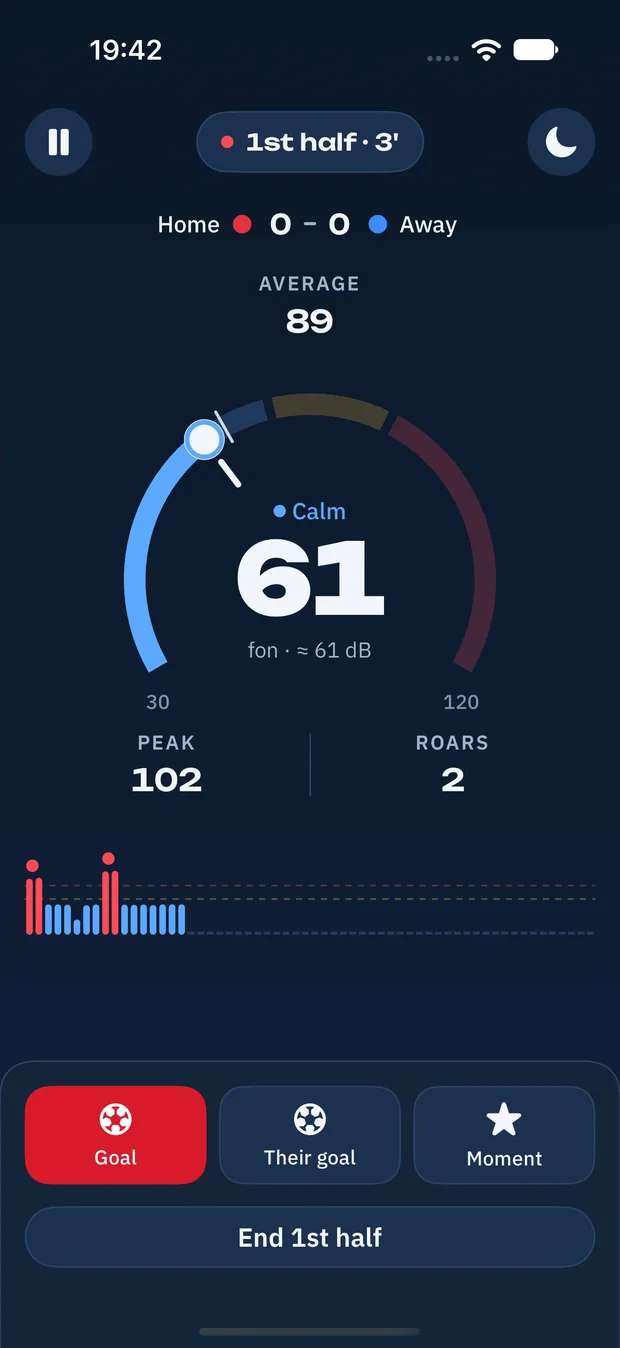
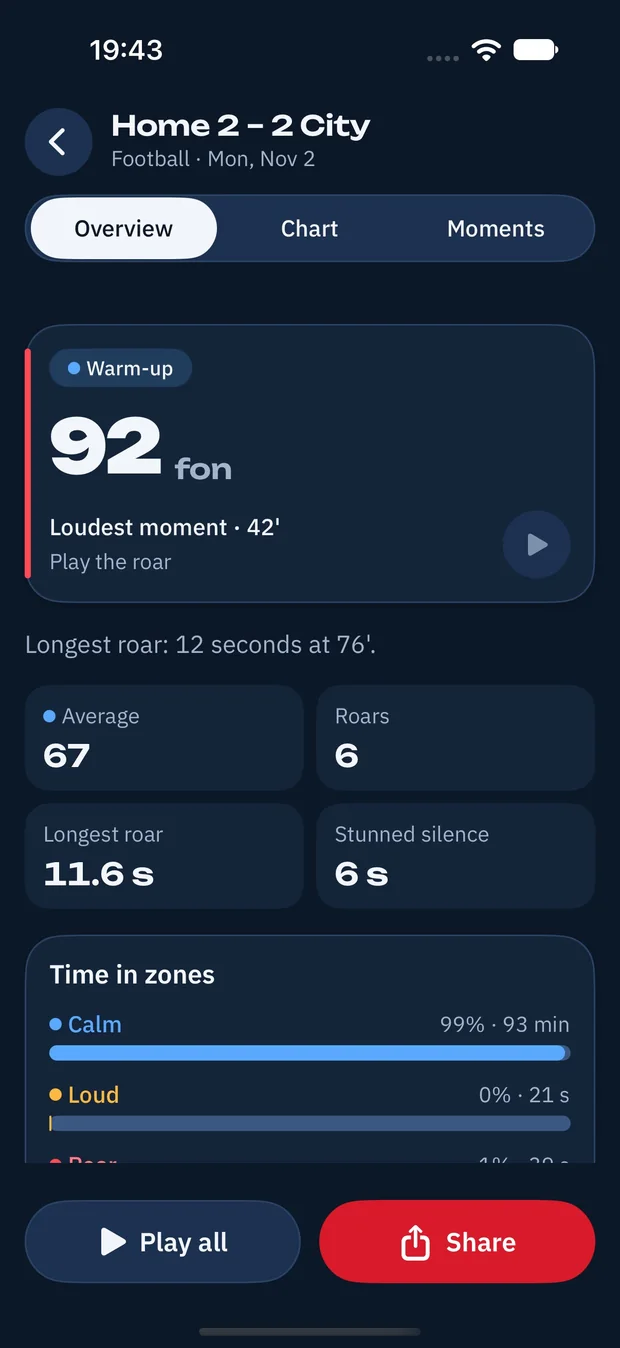
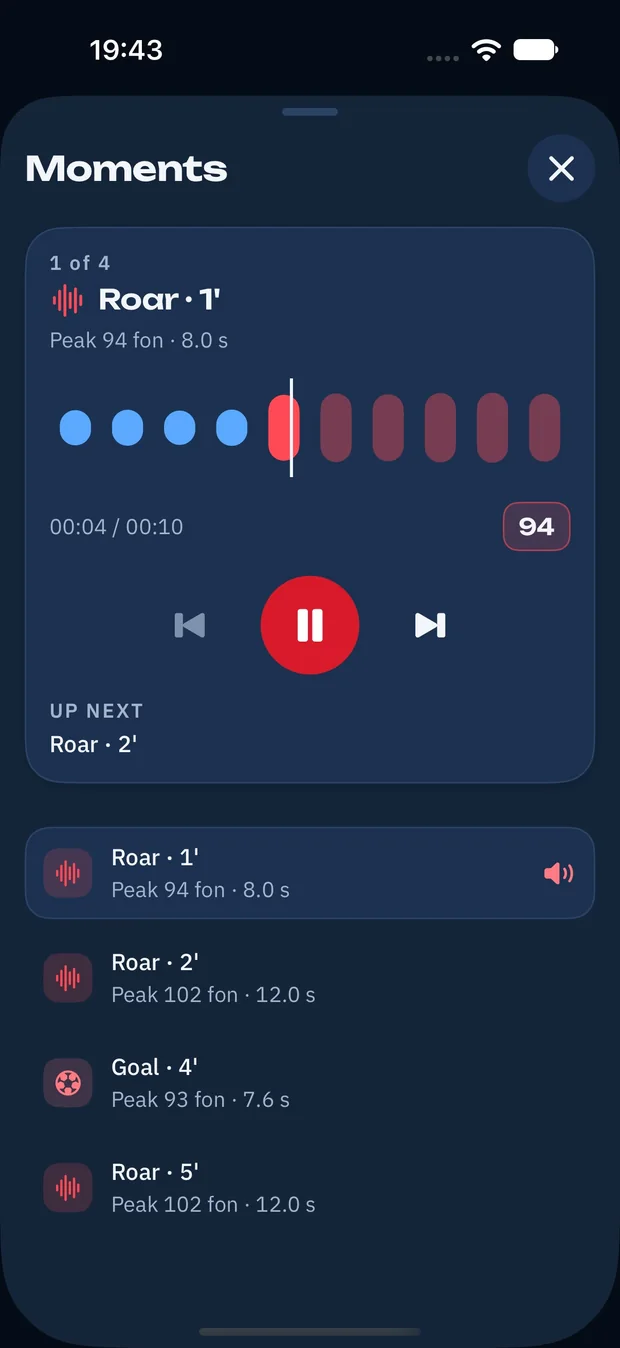
Lay your phone on the table and Fonmeter listens to the room. Watch the noise in fon, catch every roar as a short clip and replay the goal that blew the roof off. No account, no internet, just the noise.
Fon is Fonmeter's own loudness unit, tuned for a room full of fans. The gauge moves through three zones while the match is on.
Kick-off chatter, the pundits, a bag of crisps opening. The meter idles in blue and keeps the period average.
A shot flies just wide and the chant starts up. Amber means the room is properly in the game.
Everyone is up. Fonmeter counts the roar, logs its peak and keeps a 10-second clip of it for later.
The approximate decibel value sits right next to the fon number. Calibration in Settings shifts the scale by up to ±20 dB to match your phone.
Pass one phone around. The microphone is the referee.
Two sides take turns. The louder, longer chant wins the round, with sudden death on a tie.
GOAL! flashes up and the phone goes round. Who screams the longest and the loudest?

Like the stadium before a penalty. The room sets the limit and one sound ends the round.

Fonmeter runs entirely on your iPhone. There is nothing to sign up for and nothing to sync: the meter, the clips and the season journal stay on the phone in your hand.



clip around every roar and every goal you mark
awards to unlock in the season journal
sports with ready match formats you can edit
accounts, ads or trackers
Short answers before kick-off. More in Support.
Fon is Fonmeter's own loudness unit for a room full of fans. It follows the microphone level, and the approximate decibel value is shown next to it. Up to 70 is calm, 70 to 85 is loud, 85 and above is a roar.
No. It measures levels during the night and keeps only short 10-second clips around roars and the moments you mark. You can switch clips off with Keep roar clips in Settings and delete them at any time.
No. Fonmeter works fully offline and has no sign-up. Everything it measures stays on your iPhone.
Football (2 × 45), ice hockey (3 × 20), basketball (4 × 12 or 4 × 10), American football (4 × 15) and Other without a time limit. You can change the number of periods and minutes before kick-off.
Yes, the meter keeps listening with the screen locked. Table mode dims the screen while it measures, and a tap brings it back. An incoming call pauses the meter.
The night is saved every 5 seconds. Next time you open Fonmeter it offers to continue the match or save it as it is.
When the room stays very loud for a long stretch, a banner reminds you to give your ears a break. You can turn it off in Settings.
Chant duel mixes the average of a turn with its peak, plus a bonus for holding above 90 fon. Goal scream gives points for every second of screaming and for a peak above 80 fon. Hold the silence measures the room first and ends the round when a sound goes over the limit.
Bug, idea or a record you can't believe? Write to us and a real person will read it.
Support center
Answers on clips, calibration and games